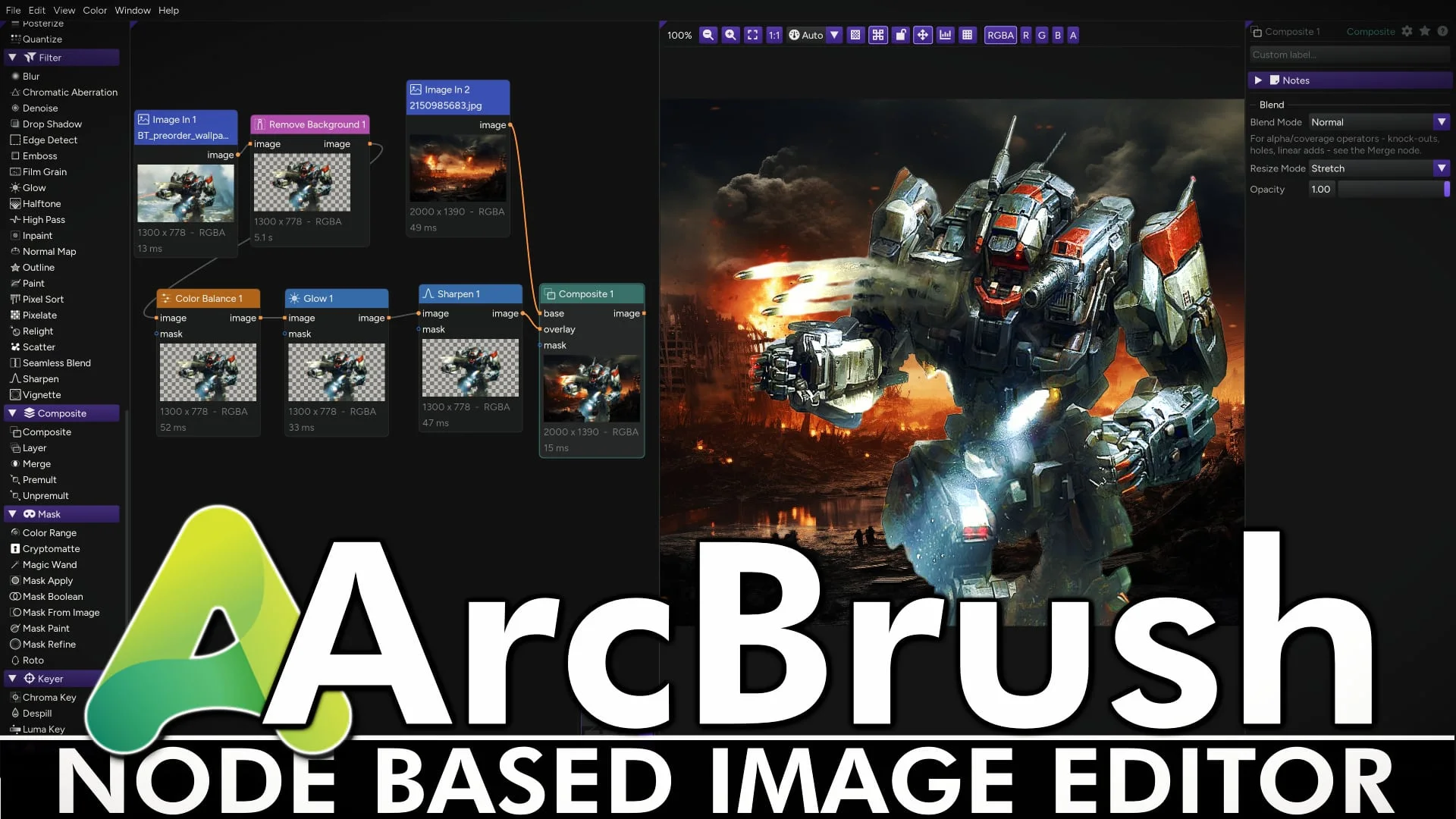
ArcBrush is a powerful node-based procedural 2D graphics application for Windows, Mac and Linux. In many ways you can think of it like ImageMagick but MUCH easier to use. Using almost 100 different nodes you can non-destructively edit 1 or 1000 images at a time.
Features of ArcBrush:
Node-Based Non-Destructive Workflow: Instead of traditional layer stacks, ArcBrush uses a node graph where operations are wired together sequentially. Adjustments stay live, allowing you to tweak upstream parameters without baking changes or destroying work.

Native Cross-Platform Performance: Built with C++20 for Windows, macOS, and Linux, the application operates locally without relying on a web wrapper. It leverages hybrid GPU/CPU processing and adaptive multi-threading to handle pixel operations quickly.
Comprehensive Node Library: The software features nearly 100 composable nodes categorized into image generators, noise patterns, layer composites, color tools, and transformations. It includes specialized tools such as bicubic mesh warping, corner pin perspective adjustments, and displacement maps.
Game Art and Texture Creation: Tailored for 2D game developers and texture artists, it offers specialized processing for seamless tiling, normal map generation, and noise creation. It also features dedicated tools for pixel art, such as dithering algorithms, palette remapping, and sprite sheet generator export.
Production and Color Management: Built for accuracy, it includes display color management that respects monitor ICC profiles and handles 32-bit float color pipelines. Production previews feature pixel grids, channel isolation, and live histogram overlays.
Batch Variant Exporting: A single graph can generate multiple outputs simultaneously, automating batch re-exports for different sizes, file formats, and color palettes. It supports single-click batch generation along with export options like sprite sheet packing with JSON manifests.
Local Processing with Optional Cloud AI: Almost all processing runs entirely offline on your machine without requiring account creation. Only optional cloud-based AI nodes—such as background removal and image upscaling—require an (freely registered) account and internet access.
Key Links
ArcBrush Homepage
You an see ArcBrush in actin in the video below. While it’s commercial software ($49USD), there is a full functional free for non-commercial use version available.
 ASRock Joins Sapphire and GIGABYTE With New Radeon RX 7000 Firmware
 Anthropic's Claude AI blocks video game cloning and reverse-engineering
 Moonlight Peaks Launches on PlayStation 5 on November 17
 Tuxedo Nano Pro Gen15 Mini PC Launches With Intel Core Ultra X7 358H